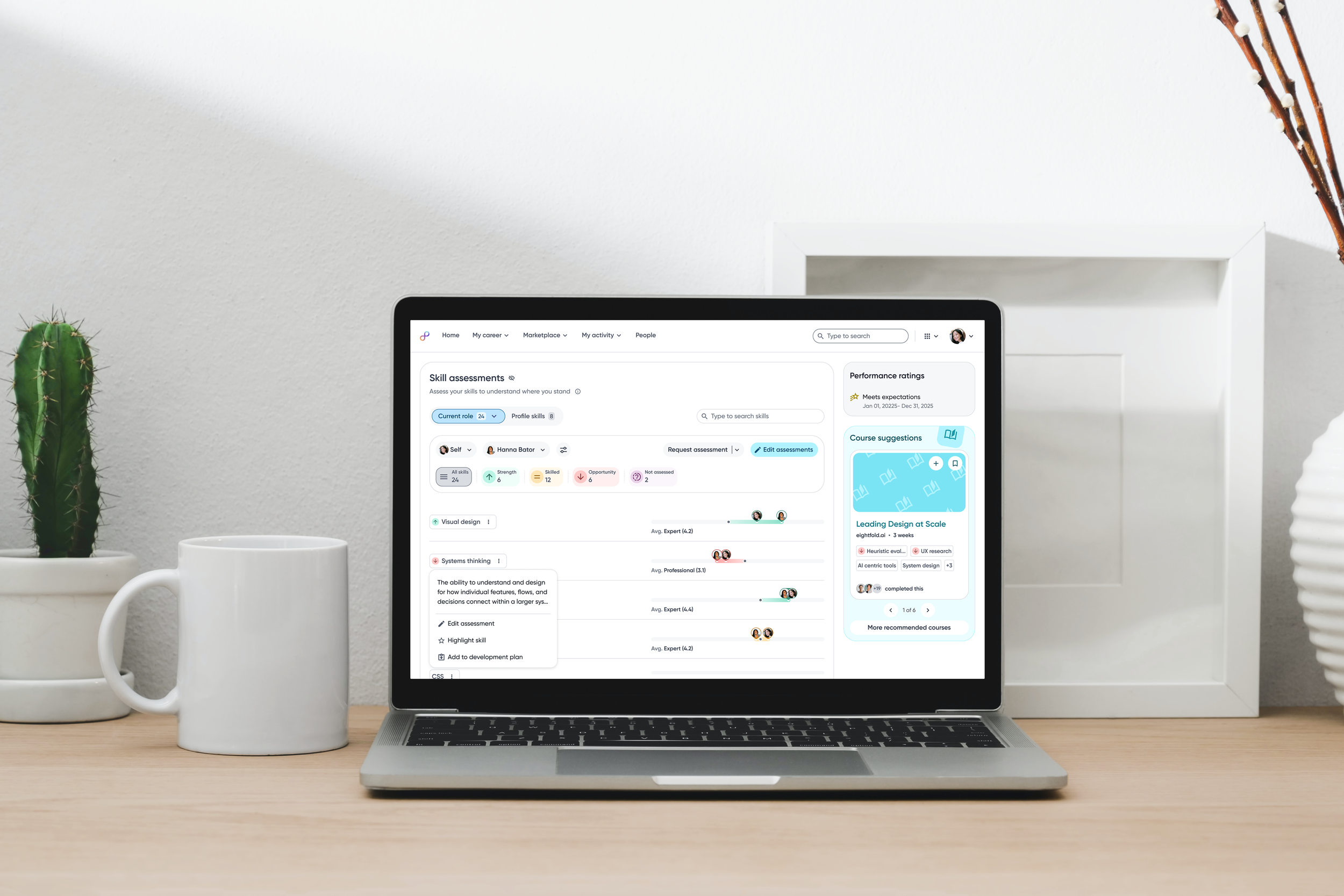
Making Skills Actionable at Scale
Transforming skill data into insights for employees and managers
Skills are the core currency of modern talent decisions from development and mobility to staffing and workforce planning.
But currency only has value if people know how to spend it.
I led the design of the Skills experience across Career Hub, connecting assessments, gaps, and development actions into a single, actionable system.
THE RESULT
Managers see team-level skill gaps without manual analysis.
Employees clearly understand where to focus and how to grow.
Skill data earns trust by driving visible, real-world actions.
-
-
Users
Employees, Managers, Org Leaders, AdminScope of Work
Skills Assessments
Skill Gap Identification
Development Plans
Manager Skill Insights
-
My Responsibilities
Experience strategy & systems design
End-to-end UX across multiple surfaces
AI-informed interaction design
Cross-functional collaboration (PM, Eng, UXR)
Design reviews & customer validation
Business Impact
Unblocked critical customer workflows (DTAG, Amdocs)
Enabled Early Availability rollout
Established foundation for scalable, skills-first talent insights
THE CORE ISSUE
Assessments lived in dense, difficult to interpret tables
Managers lacked a scalable way to understand team-level skills and gaps
Employees couldn’t easily understand what mattered and what to act on
Career Hub resources are disconnected from assessment insights

Research
LEARNING GOAL
Understand how skill data could meaningfully drive action across employees, managers, and teams.
RESEARCH INPUTS
-
In-depth customer conversations and early input partnership to understand real-world workflows, organizational constraints, and how skills were being used (or worked around) in practice.
-
Observed how users record, track, and interpreted skills data in current workflows.
Skill proficiency data is inconsistently captured and largely manual today. There is no clear feedback loop connecting insights to actions, or actions to measurable outcomes. -
Ran collaborative working sessions to align on technical constraints, map skill data flows across surfaces, and pressure-test assumptions across personas before moving into solution design.

I can see my skill gaps, but I’m not sure what I’m supposed to do with them.
JULIAN, EMPLOYEE
KEY INSIGHTS
Interpretation beats input. Users didn’t struggle to rate skills, they struggled to understand what the ratings meant.
Categories over precision. Meaningful groupings resonated more than exact numeric scores.
Gaps need destinations. Surfacing gaps without paths to action reduced trust.
Managers need signals first. Aggregation before detail was critical for scale.
STRATEGIC TAKEAWAY
Skill data existed, but it wasn’t designed to function as a decision-making system.
EMPLOYEE • SKILL ASSESSMENTS
Clear Skills. Clearer Growth Path.
Designing the employee experience to make skill proficiencies easy to understand and to empower meaningful action from skill gap awareness.
VISUALIZING
See it. Get it. Act on it.
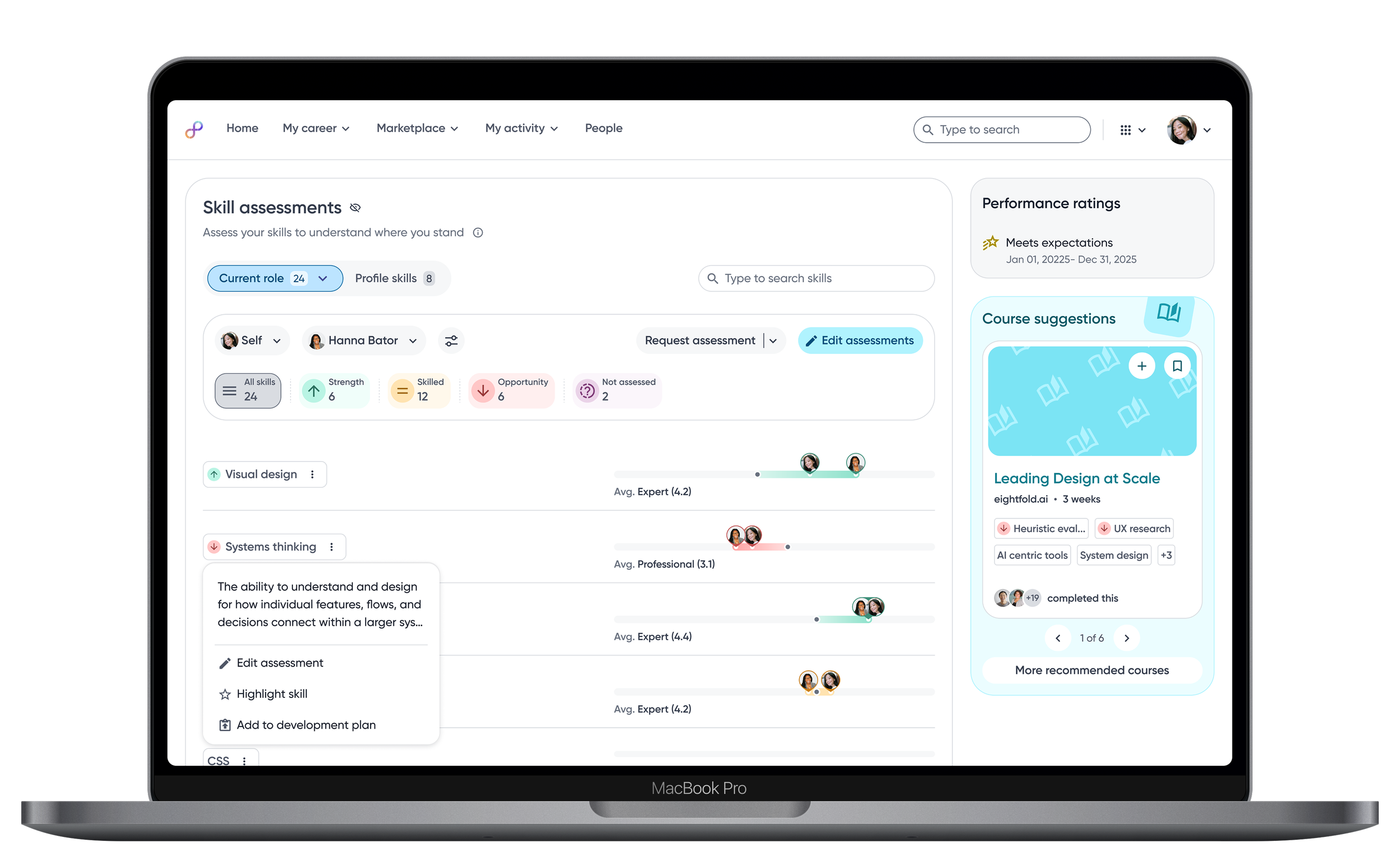
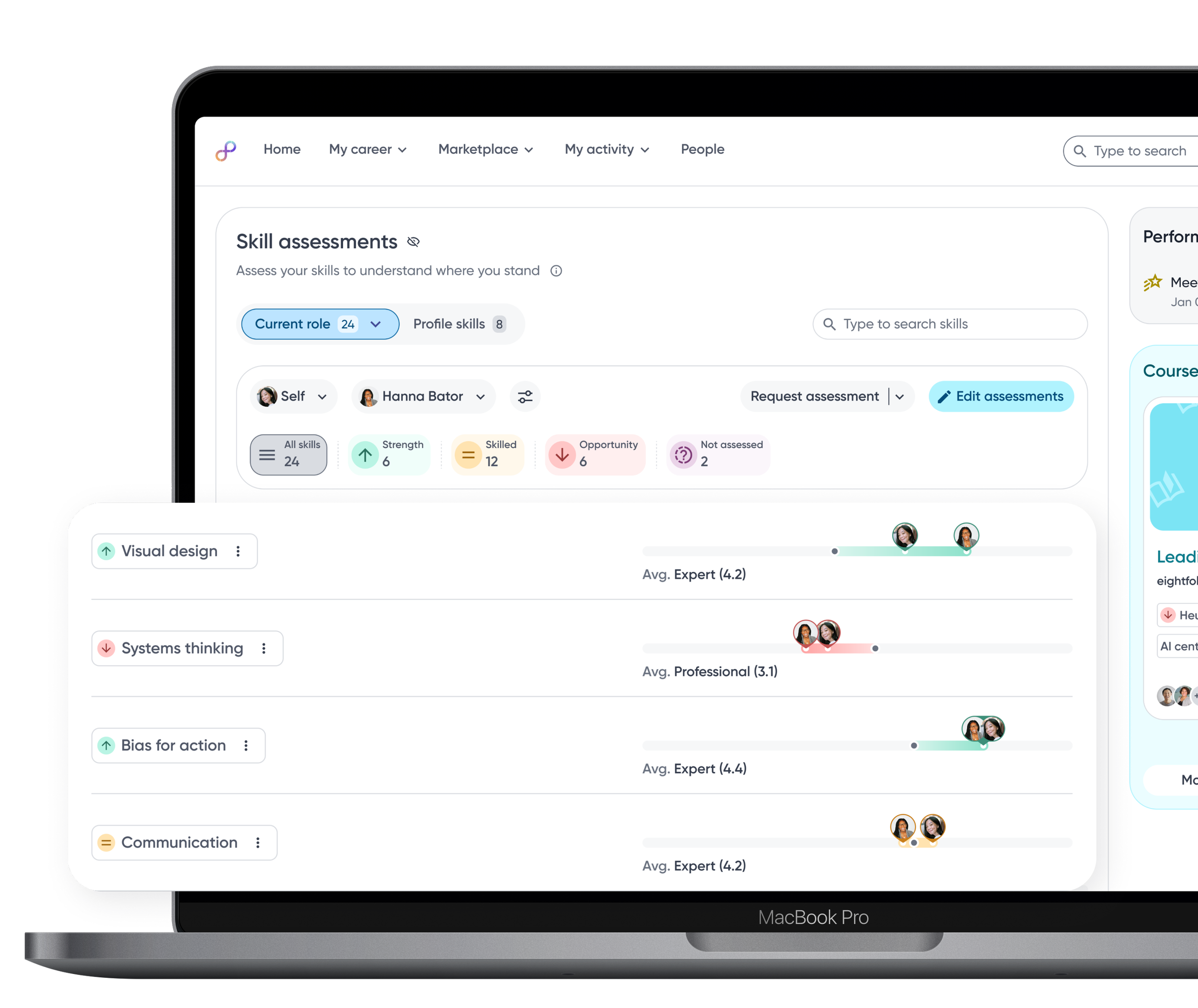
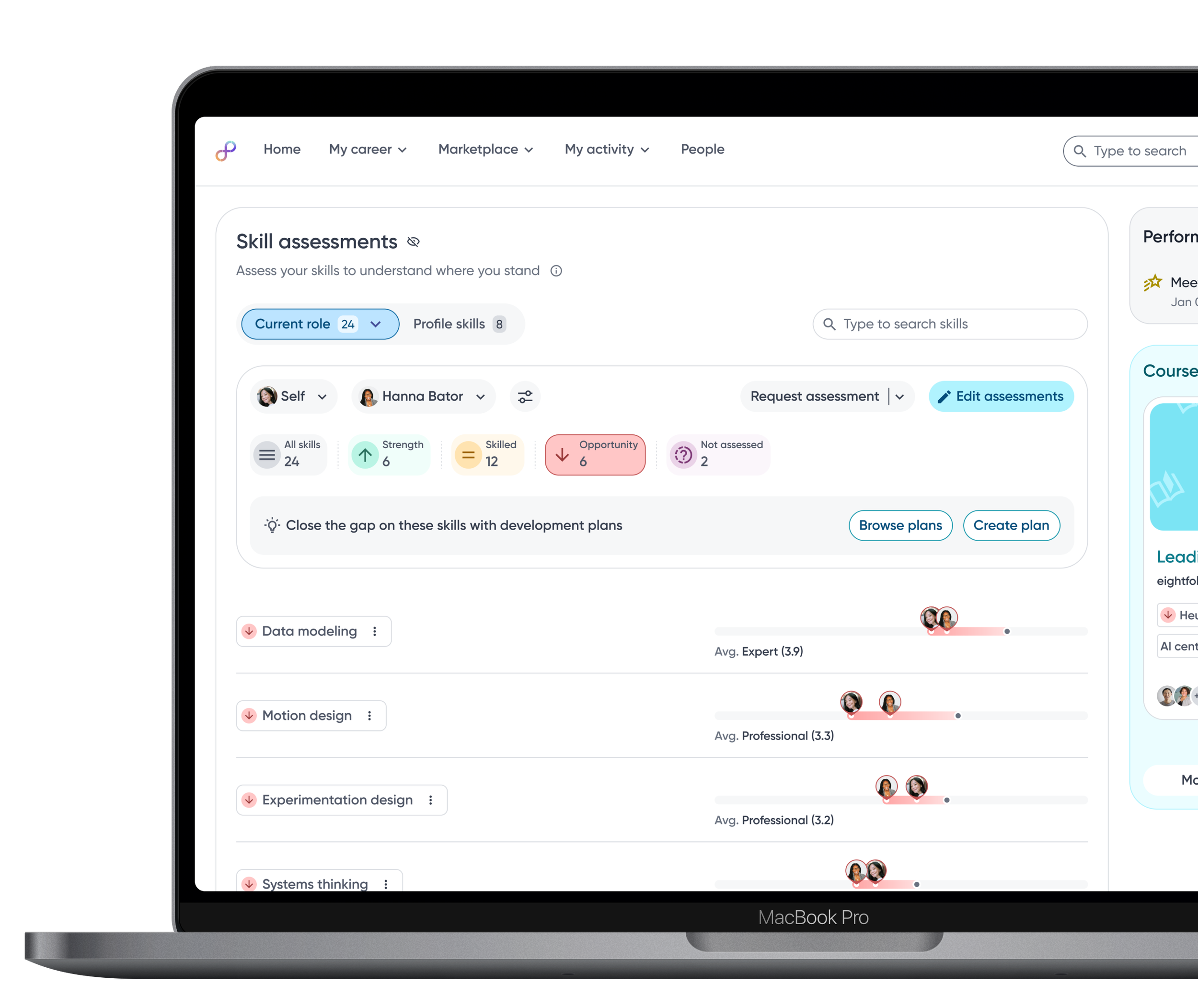
To empower confident action, skill proficiency must be intuitively understandable. Making skill data understandable rethinks how skills are visualized, explored, and interpreted so users can quickly understand where they stand without decoding raw data.
Visualizing what matters
🔍 RESEARCH FINDING
Employees are overwhelmed with raw skill assessment data and they spend more time scanning and filtering than understanding.
Skill tags use icons to signal Strength, Opportunity or Expected, reducing cognitive load.
Skill descriptions provide immediate clarity and shared context.
Relative bars visualize proficiency against role benchmarks, making gaps instantly visible.
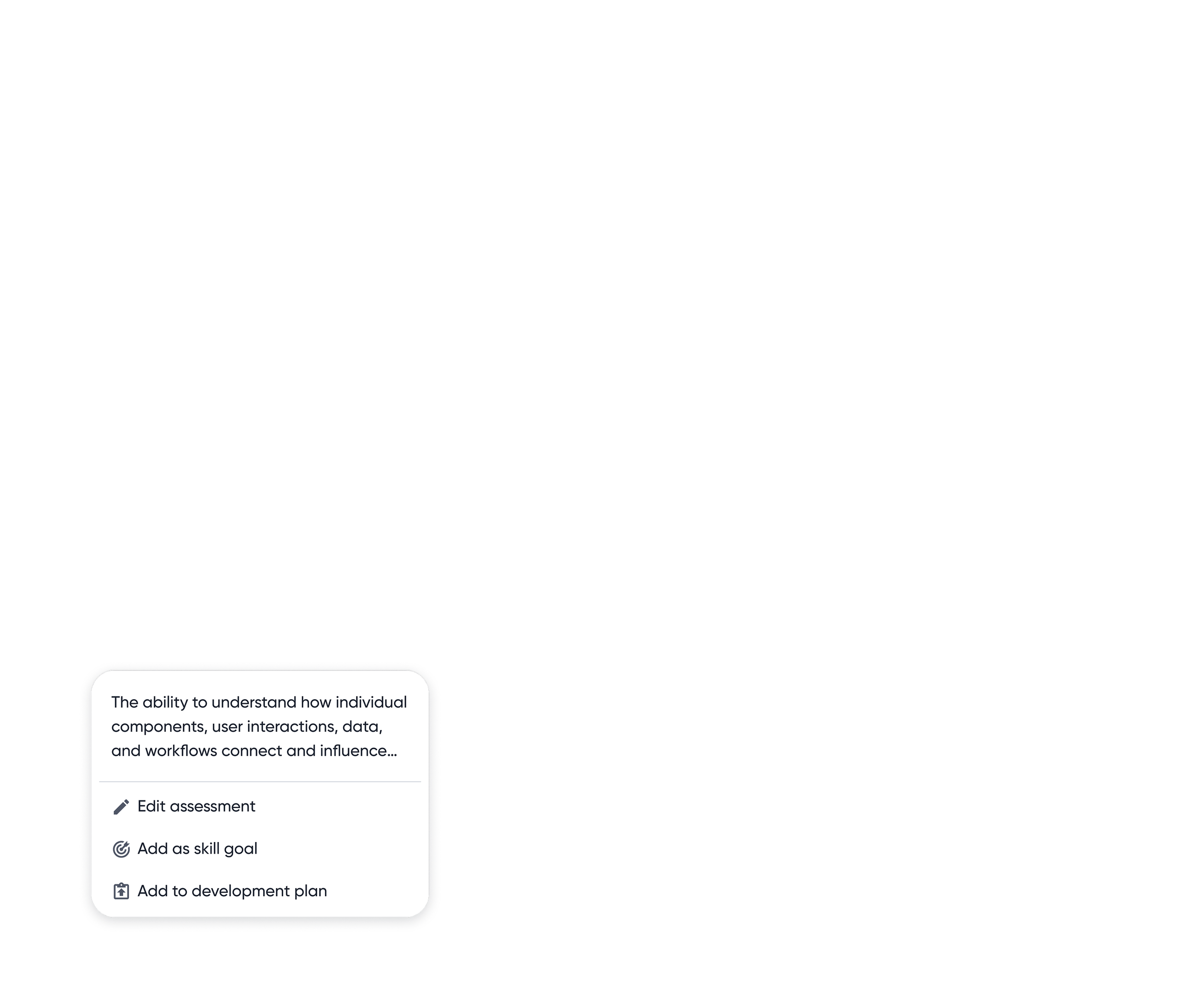
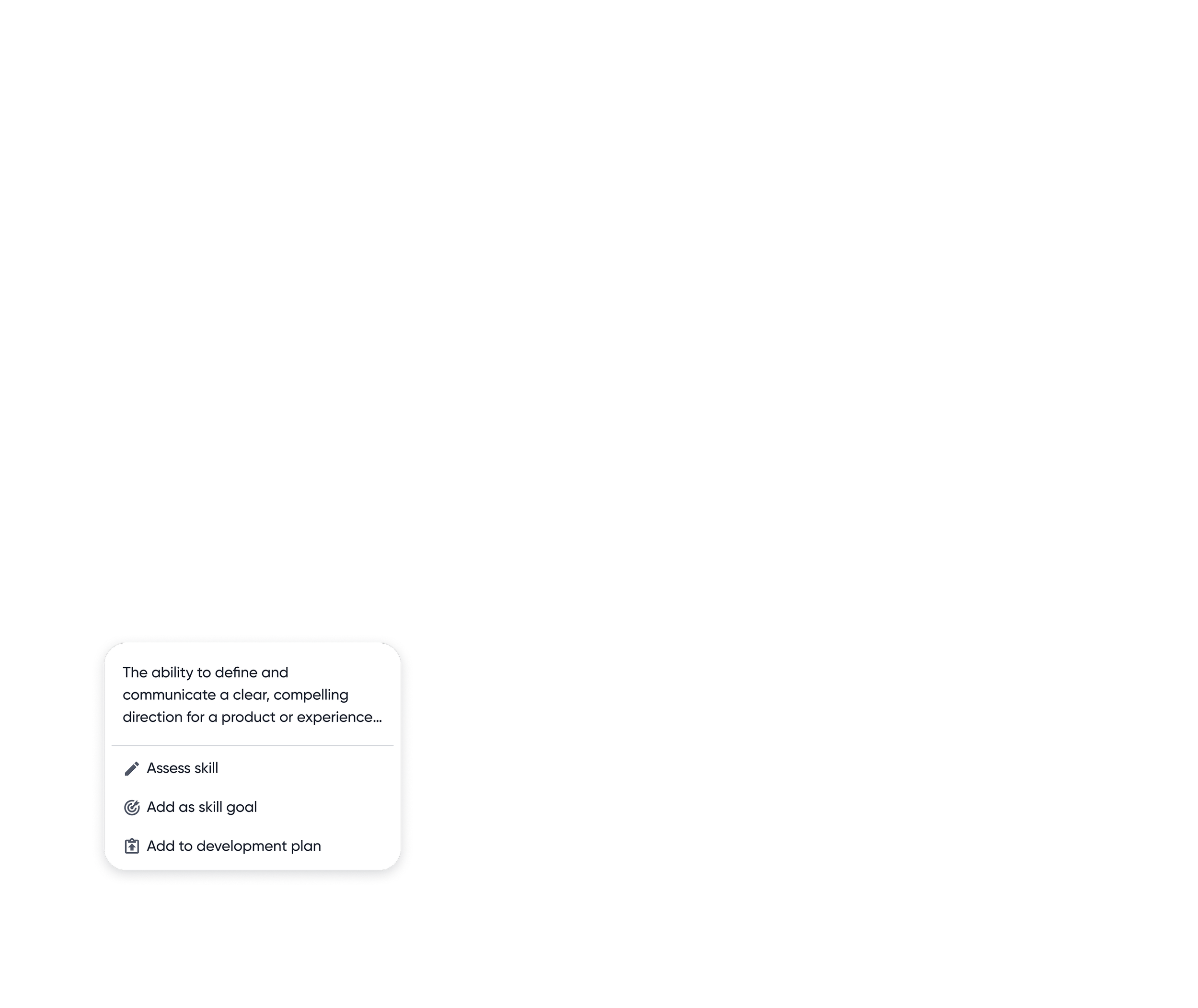
Rich contextual skill menu
When a user wants more detail or to take action, the skill menu brings understanding and next steps together, putting clarity, control and decision making in one place.
Contextual actions allow employees to edit, highlight or add skills to plans to development plans.
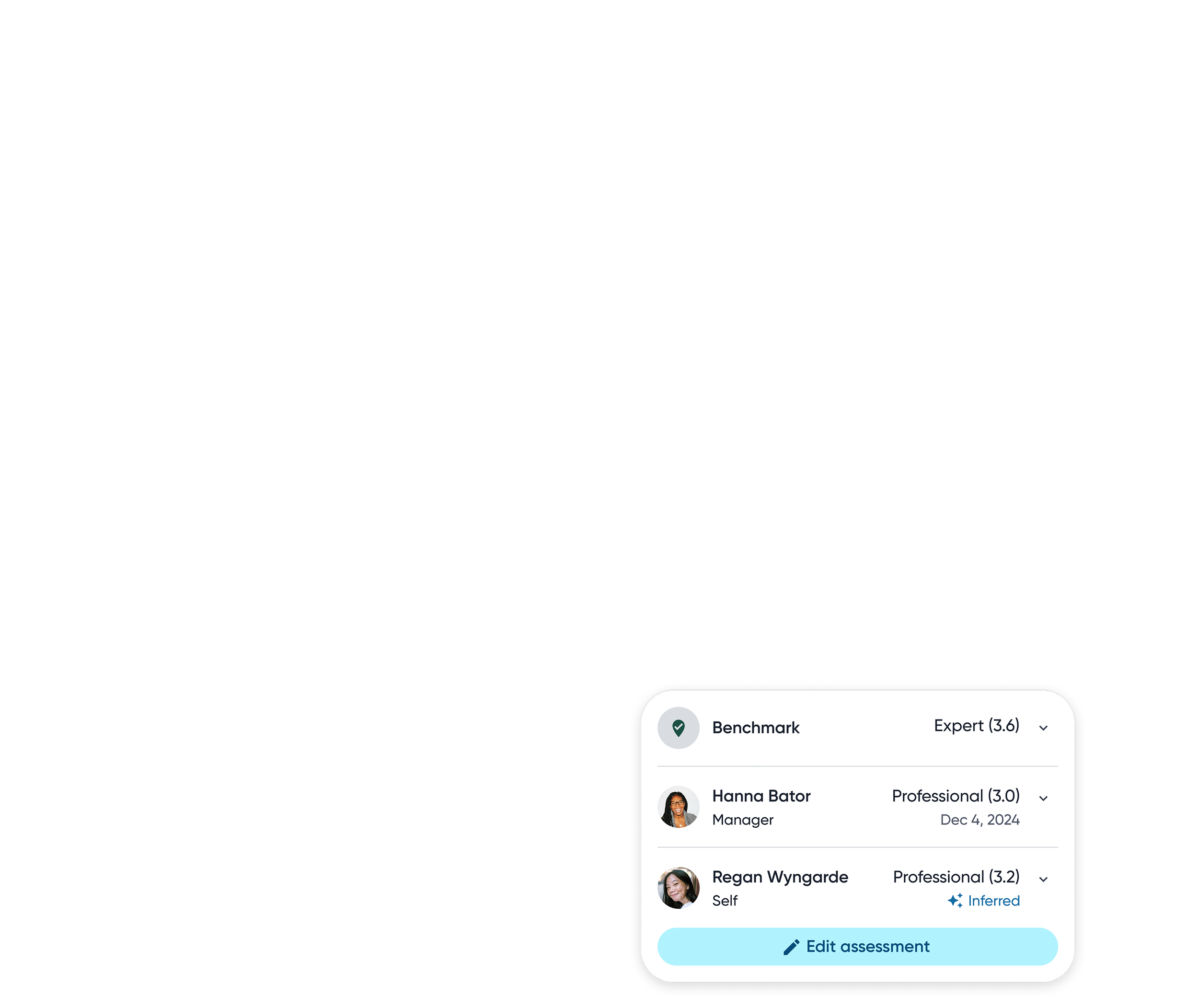
Assessment details
To support deeper understanding, the ratings popover reveals detailed numeric scores along clear descriptions for each proficiency level.
Granular visibility into skill ratings across different inputs.
Skill proficiency can be inferred with AI from rich, real world signals captured across the employee’s work

ALIGNING
Get a second, third, fourth… opinion.
Skills are shaped through collaboration. Capturing diverse perspectives makes skill data more accurate and more trusted.
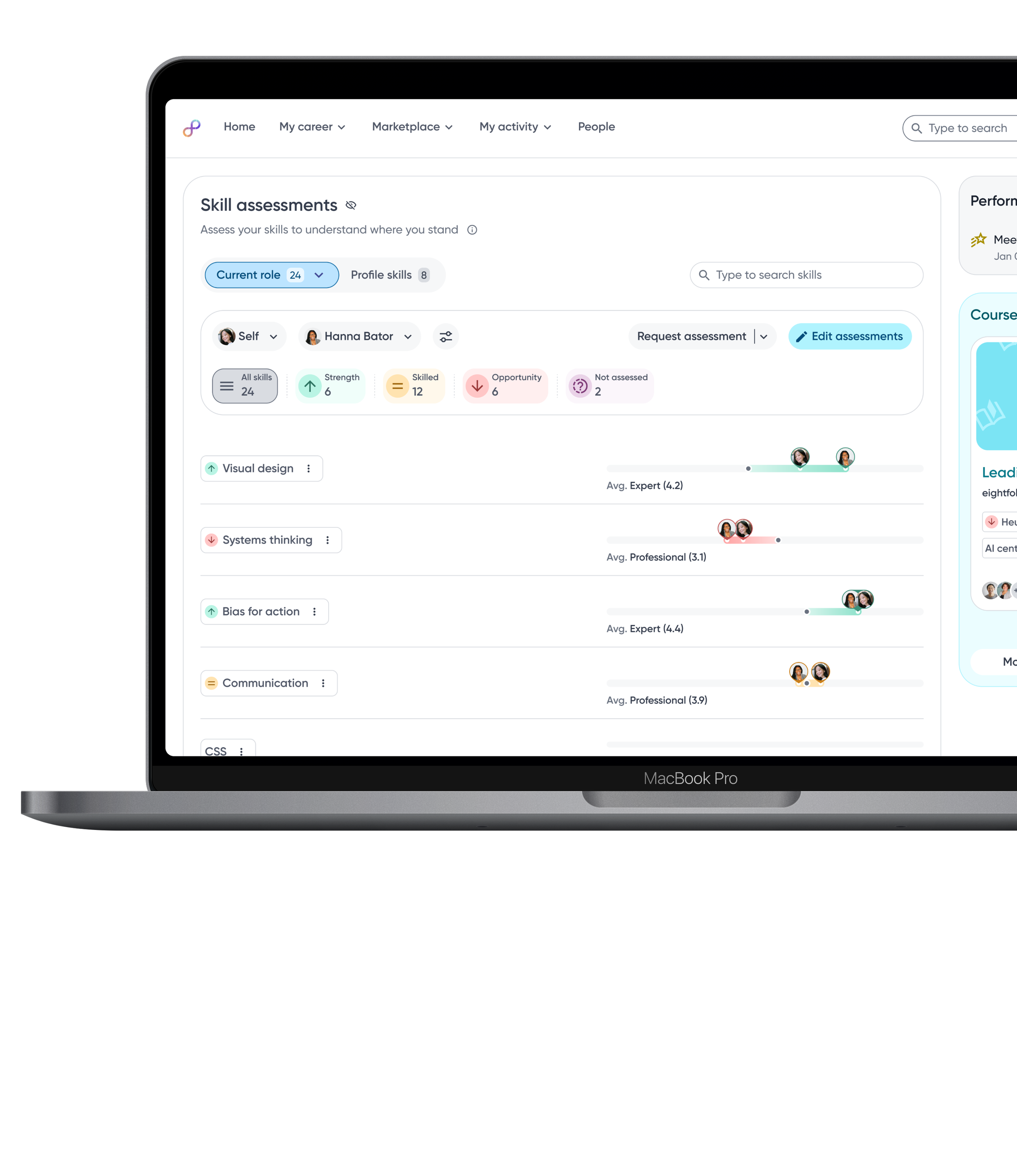
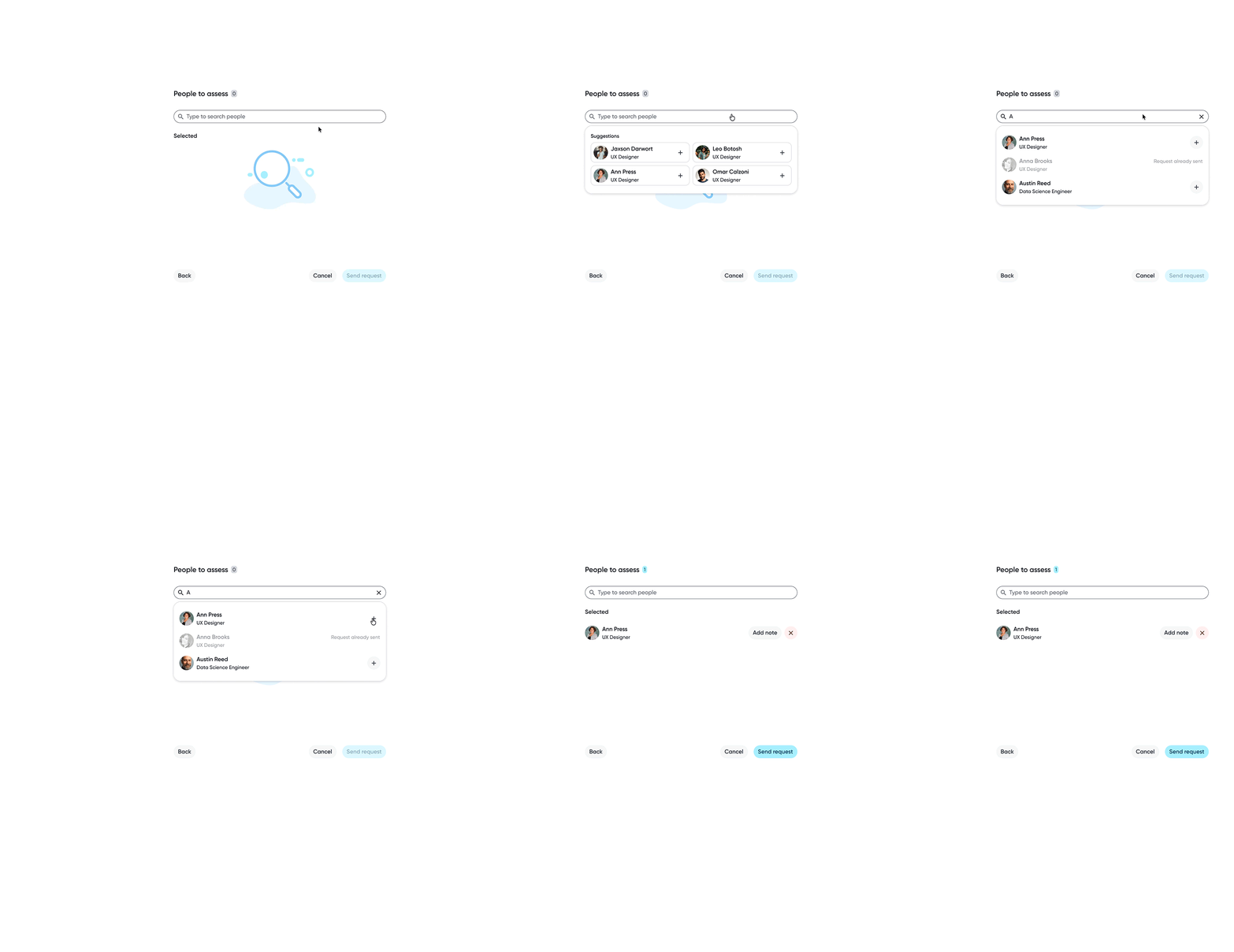
Peer assessment request
🔍 RESEARCH FINDING
Peers were seen as the must trusted signal for day-to-day skills. Feedback from colleagues who worked closely together was consistently perceived as more accurate and actionable.
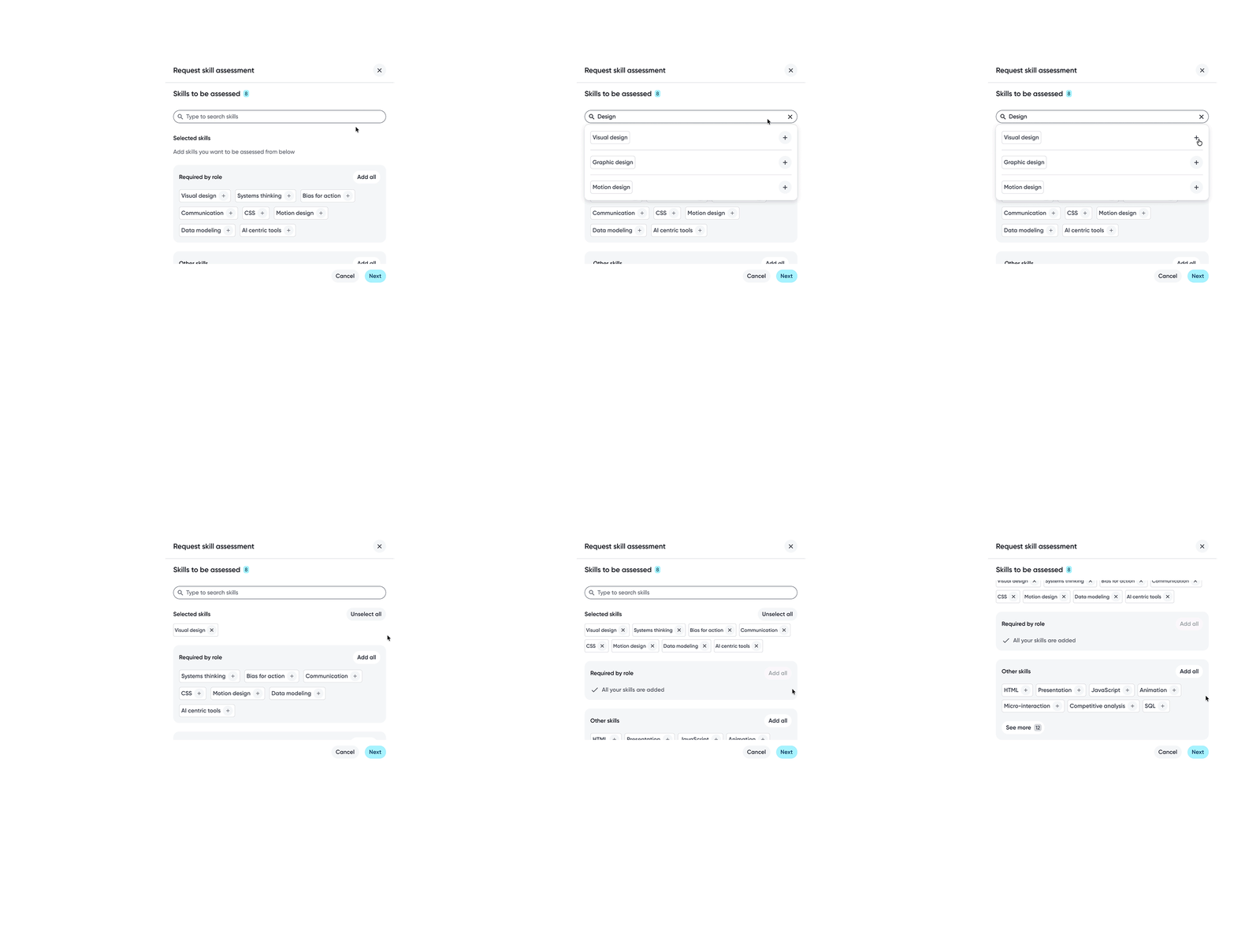
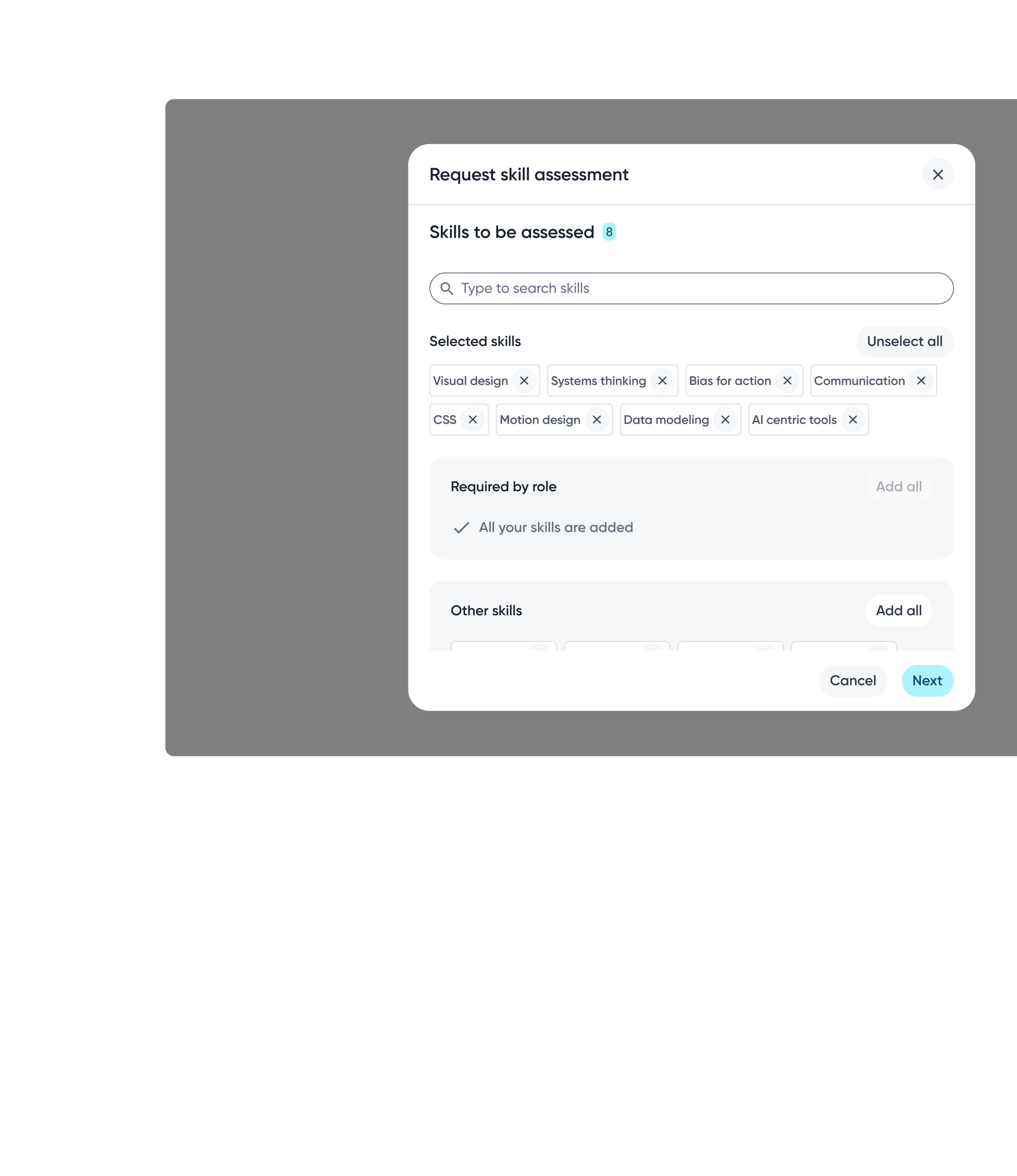
Assessor selection gives employees flexibility over which perspectives contribute to their skill data, supporting a more balanced assessment.
Employees can choose specific skills or include all skills when requesting assessments, depending on the level of feedback wanted.
See it from their perspective
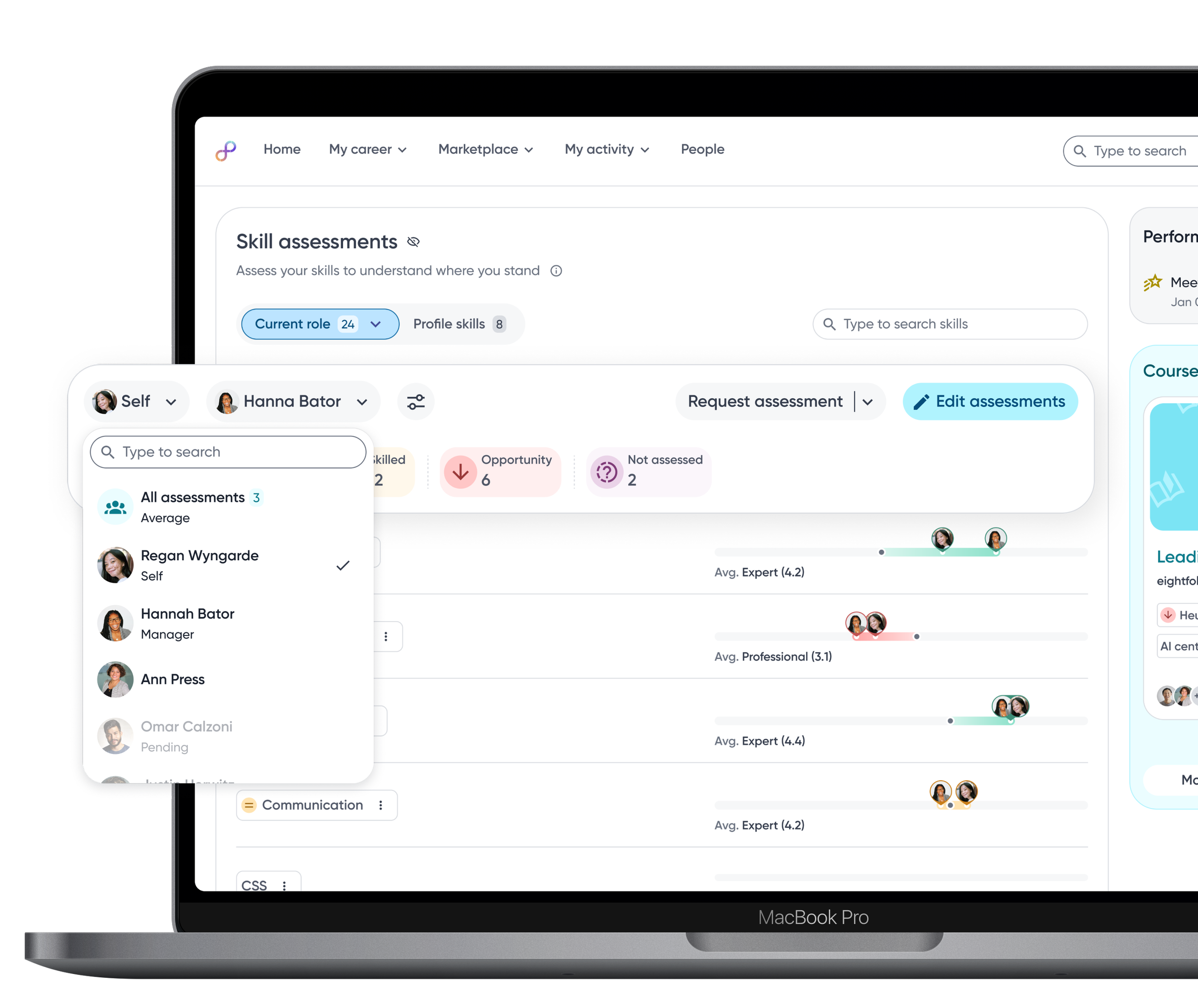
Employees can switch between assessors to view skill proficiency from multiple perspectives, helping them understand context, differences, and potential blind spots.
Everything about a skill.
One place.
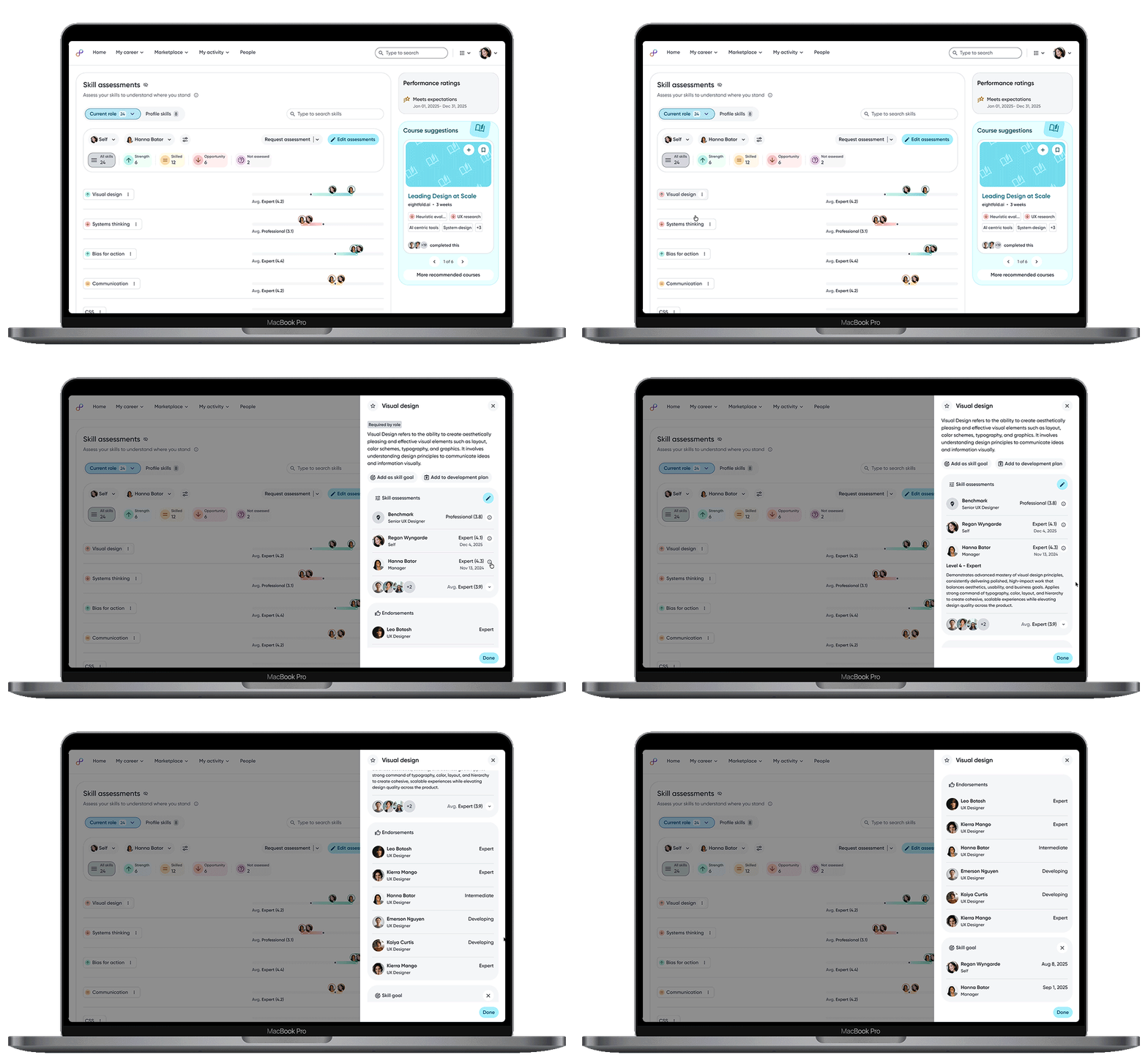
The skill details panel consolidates everything related to a skill. From definition, assessments, endorsements, and goal history to give users a complete, contextual view in one place.
Contextual actions let users move directly from understanding to next steps.
Assessment details surface transparent, multi-perspective ratings.
Endorsements add qualitative context and social proof, grounding scores in real work.

ACTING
From Insight to Action.
For skill data to create real impact, insight must translate into action. Making skill data actionable means surfacing the right next steps at the moment of awareness—so users can move seamlessly from understanding gaps to taking meaningful action.
Focus first. Act fast.
🔍 RESEARCH FINDING
Long, undifferentiated lists of skills make it difficult for employees to identify priorities, limiting their ability to act on what matters most even when ratings are available.
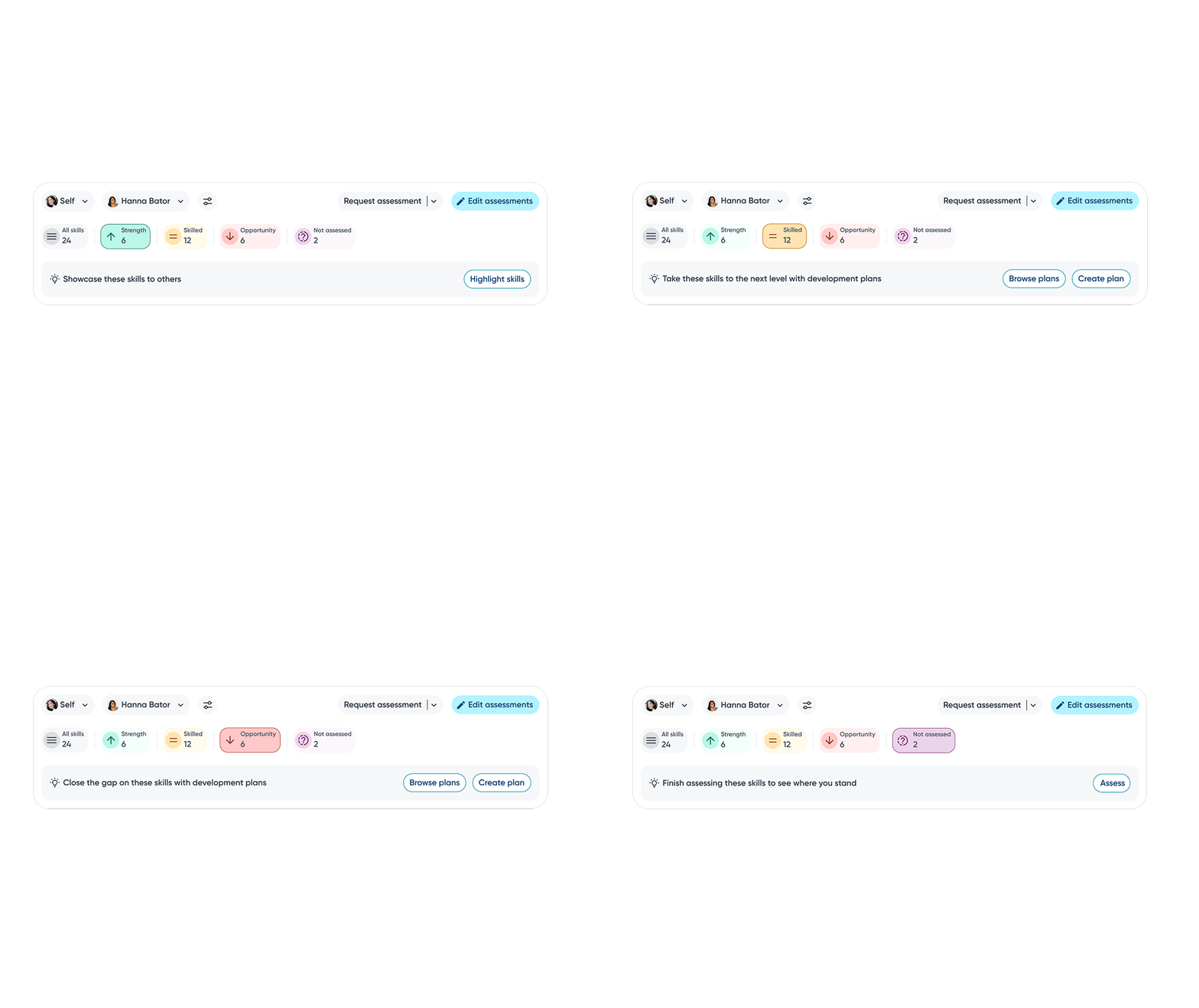
Relevant actions are surfaced contextually within each skill category, enabling employees to proactively take steps towards skills development.
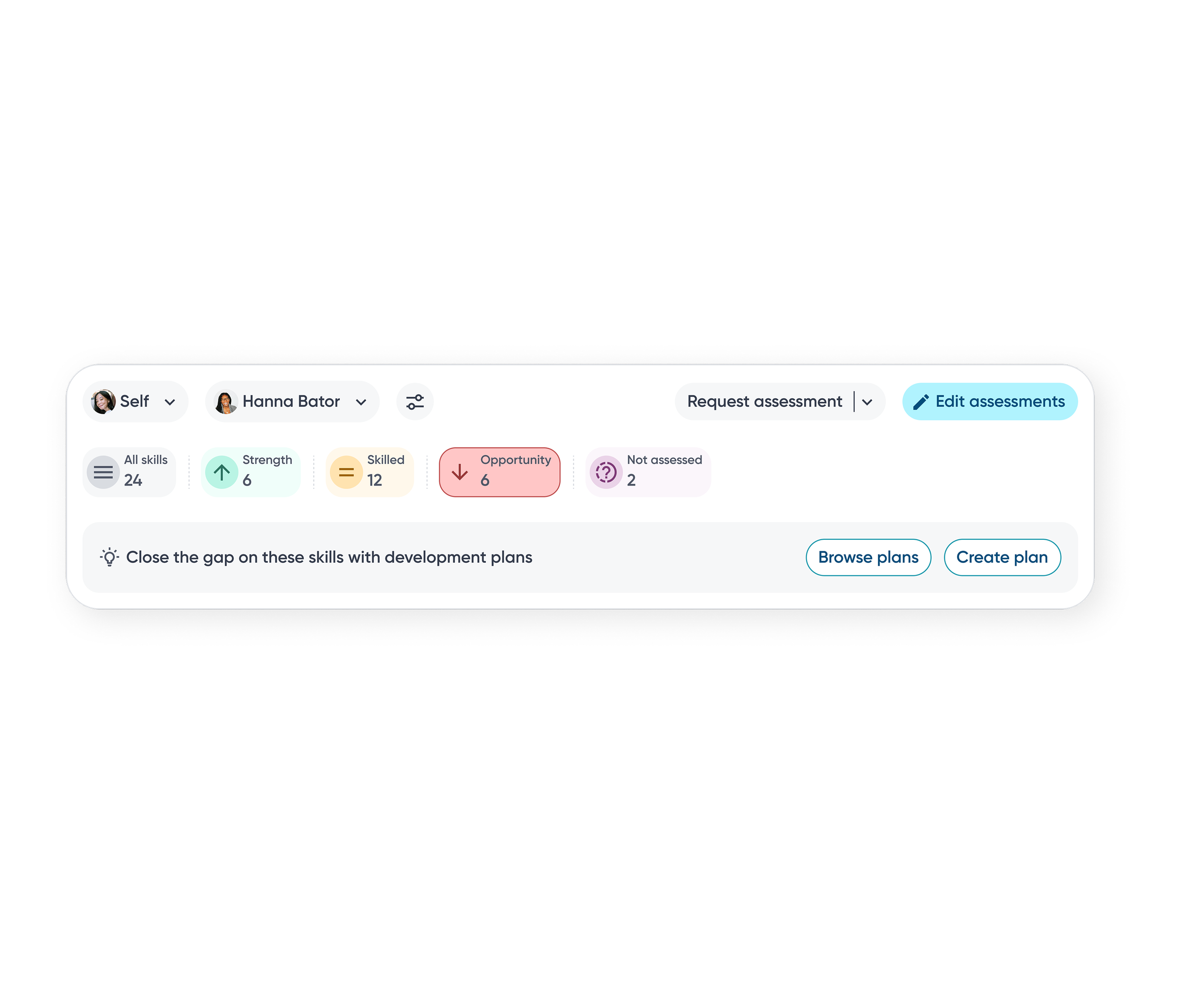
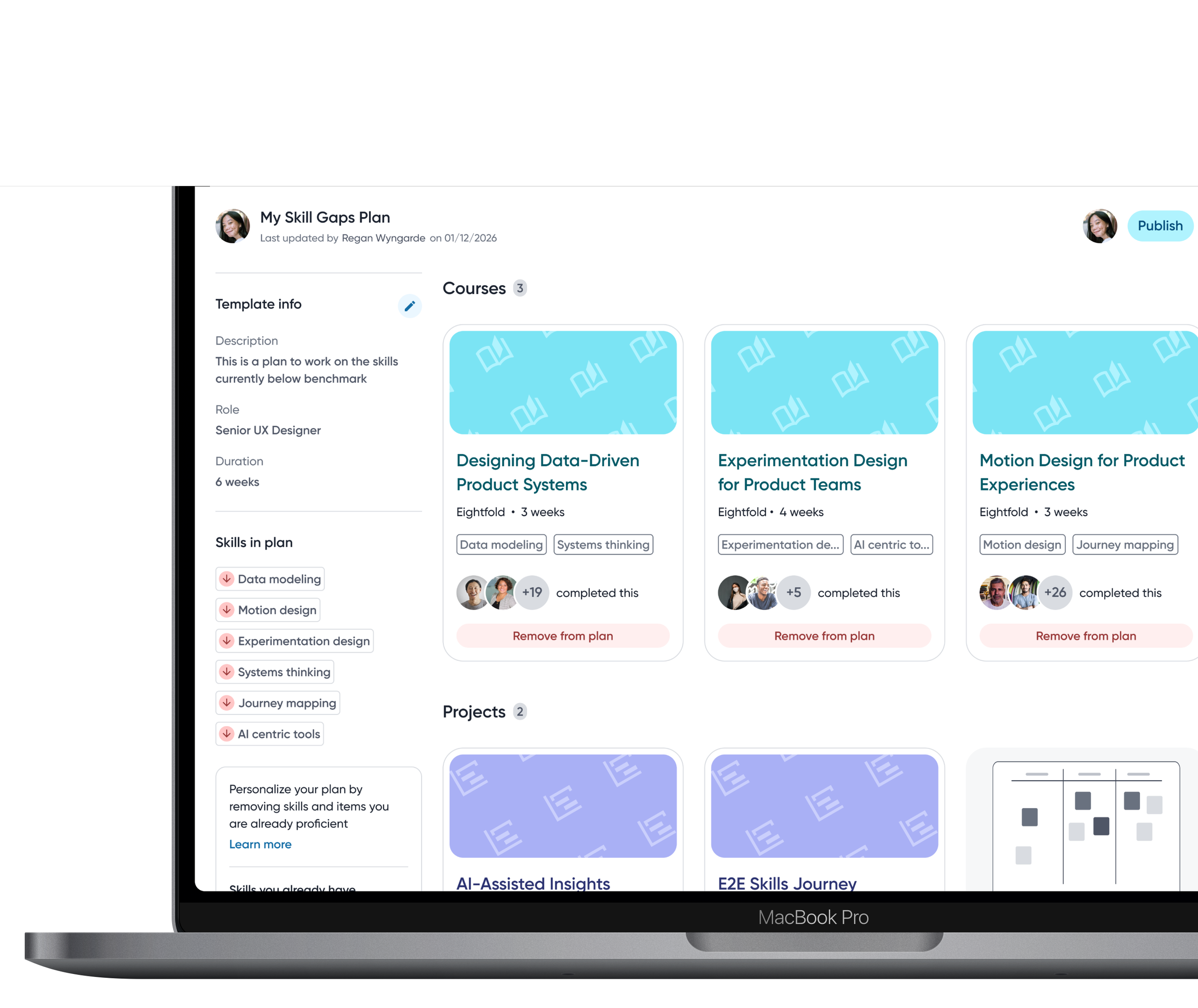
Create or browse development plans and add skills to improve.
Skills are grouped into gap categories such as strengths and opportunity so employees can quickly focus on areas that need attention.
Mind the Gap
(Then Close it)
Employees can close the loop on skill gaps by adding them directly into development plans and receiving recommendations on courses or projects through AI to close the gap.
GROWING
Skills as Career Signals
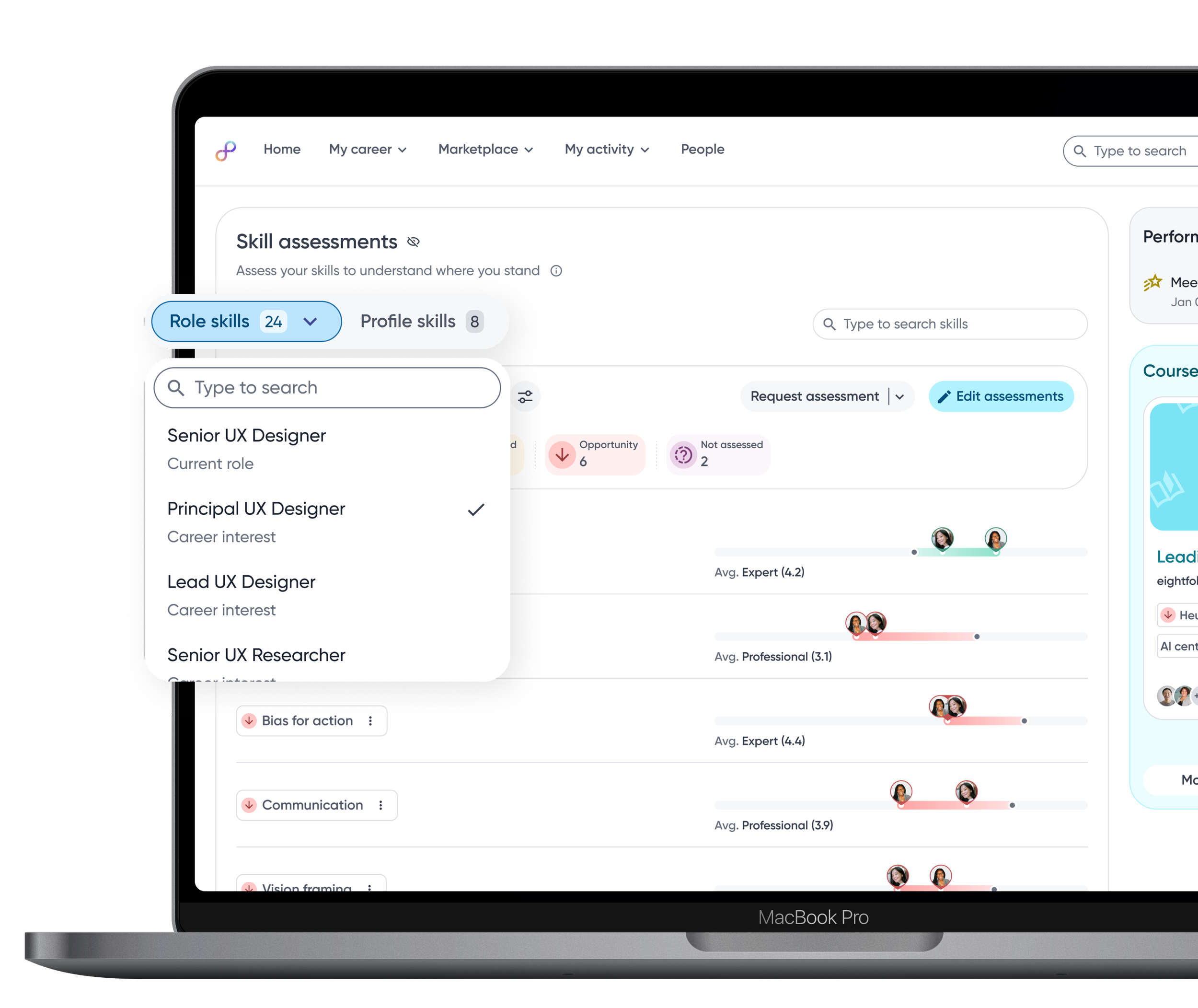
Skill data becomes even more powerful when it supports what’s next. Comparing proficiency against role benchmarks helps employees gauge readiness and target growth toward future roles.
🔍 RESEARCH FINDING
Employees viewed skills as a career signal, not just a performance metric. Many employees wanted to understand how their current skills translated to future roles, not just how they performed in their current one.
See what’s next…
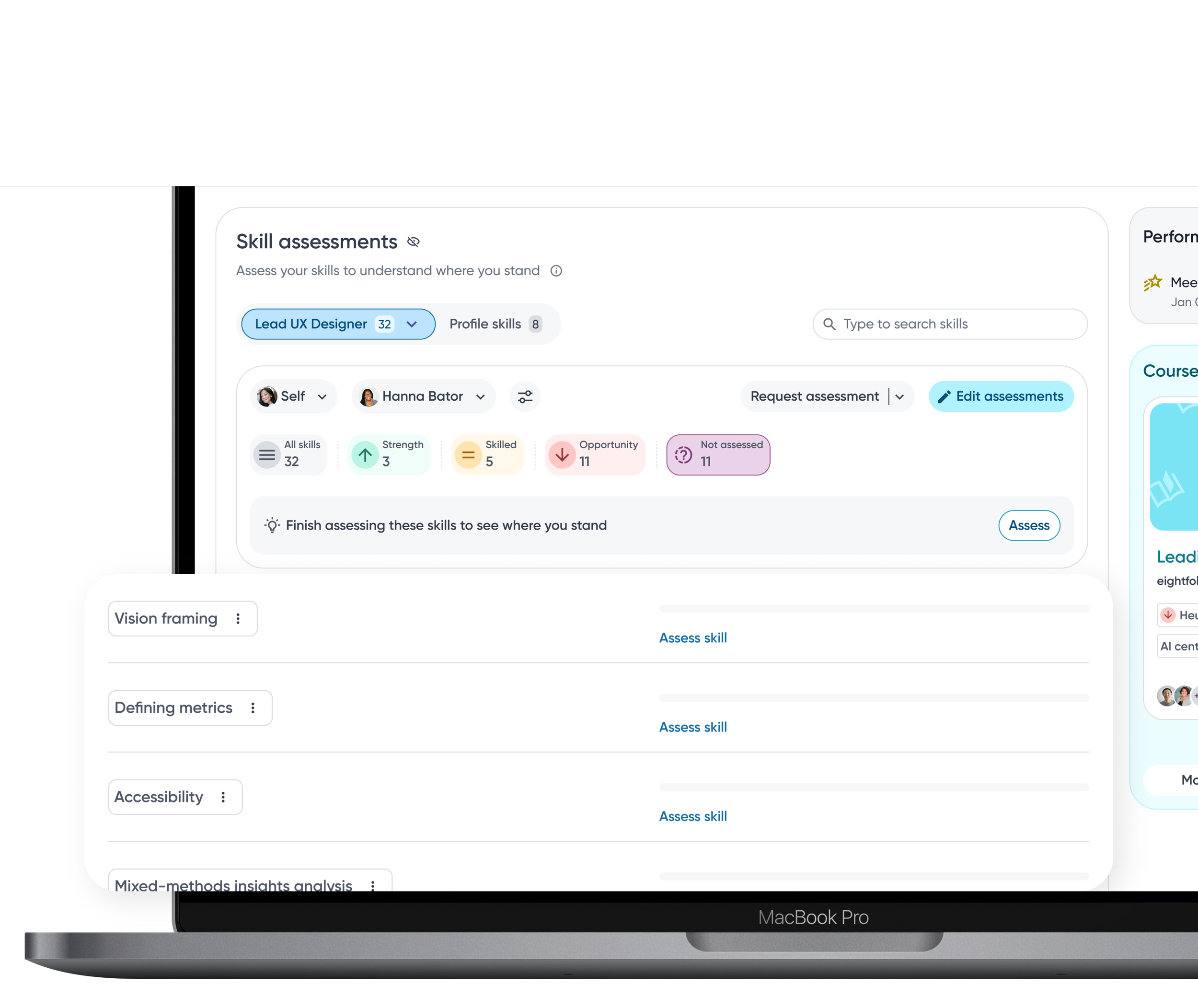
Seeing which skills are missing for a desired role helps employees understand what to learn next and removes guesswork from career growth.
…then make a plan.
Contextual actions guide employees to set skills as goals or add them directly to development plans, helping them prepare for target roles.
MANAGER • TEAM INSIGHTS
Turning Team Skills into Action
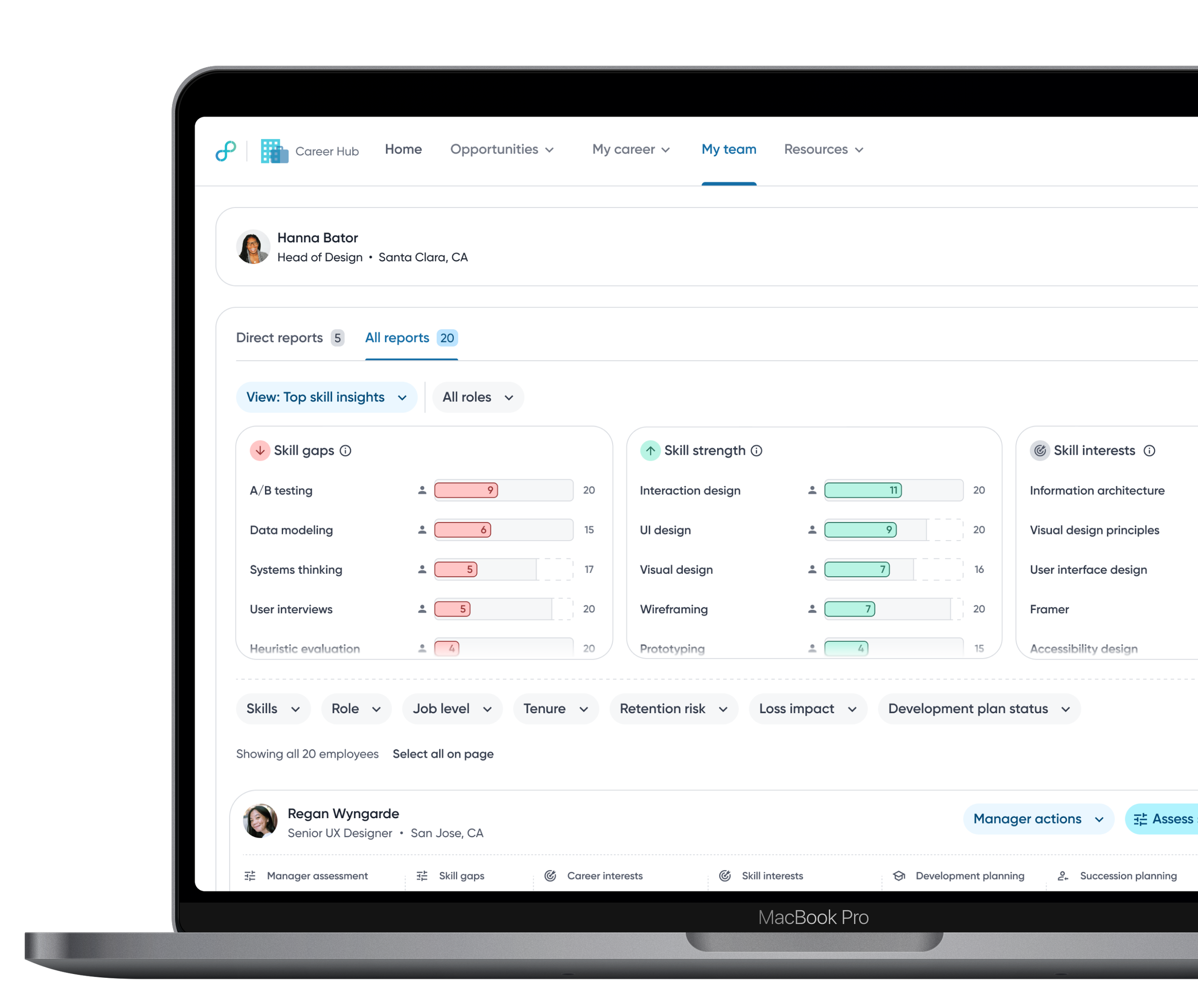
Managers don’t just need visibility into team skills, they need clarity on where to focus and what to do next. This experience surfaces team-level skill gaps, strengths, and team insights in a way that supports proactive decision-making, helping managers address risks early and guide development with confidence.
CONTEXTUALIZING
See the Forest. Then the Trees.
Managing skills is complex at every level, from people managers to directors. The goal isn’t more data, it’s better signals.
🔍 RESEARCH FINDING
Managers across roles rely on manual, fragmented tools to track team skills, making it difficult to prioritize, act, and defend decisions. There is a strong need for a centralized, skills-first view that surfaces team health at a glance, supports drill-down when needed, and pairs insight with clear next actions. Lightweight, explainable metrics augmented by AI recommendations and supporting evidence help managers move faster, stay fair, and address skill gaps proactively.
The Big Picture, Organized.
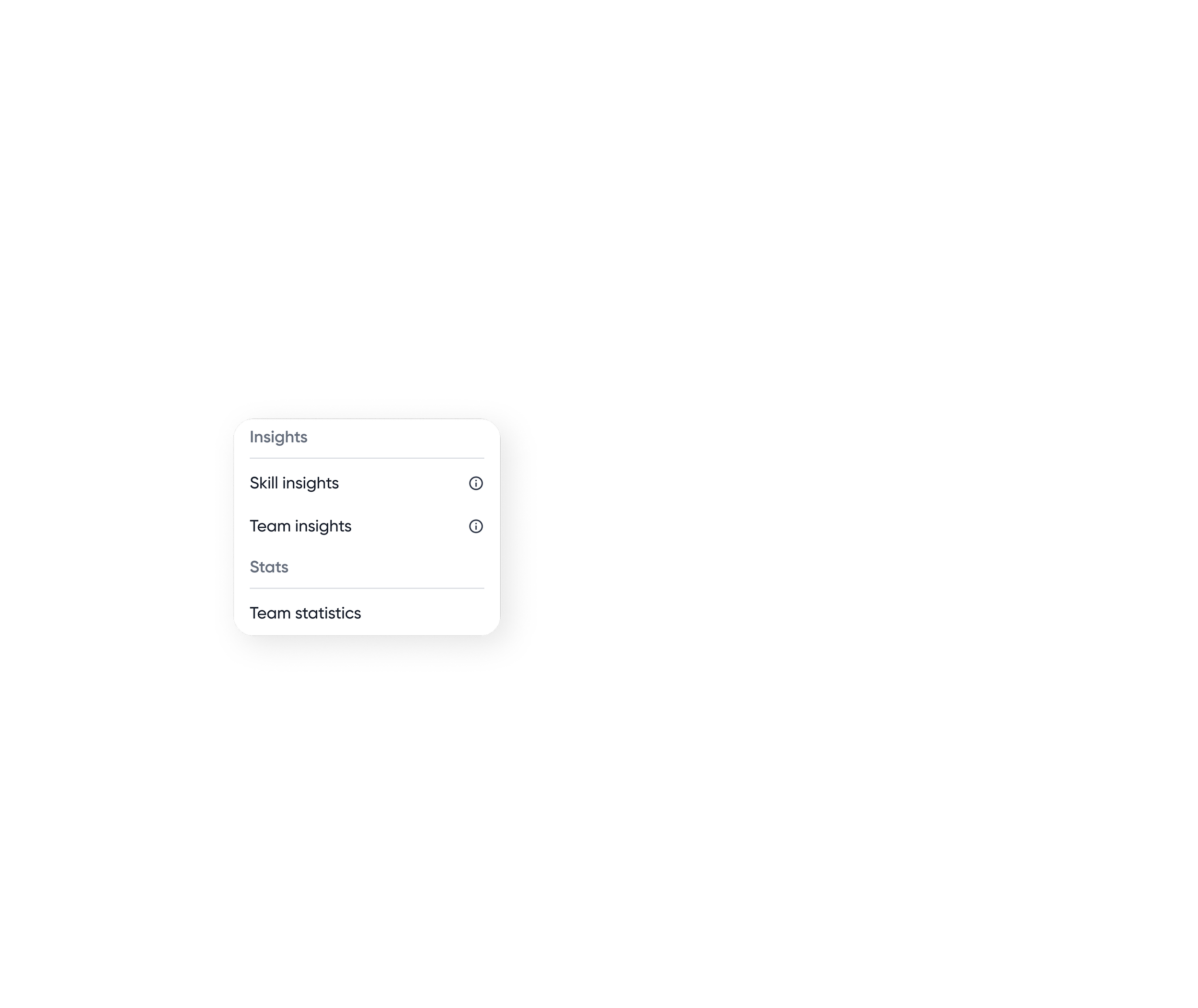
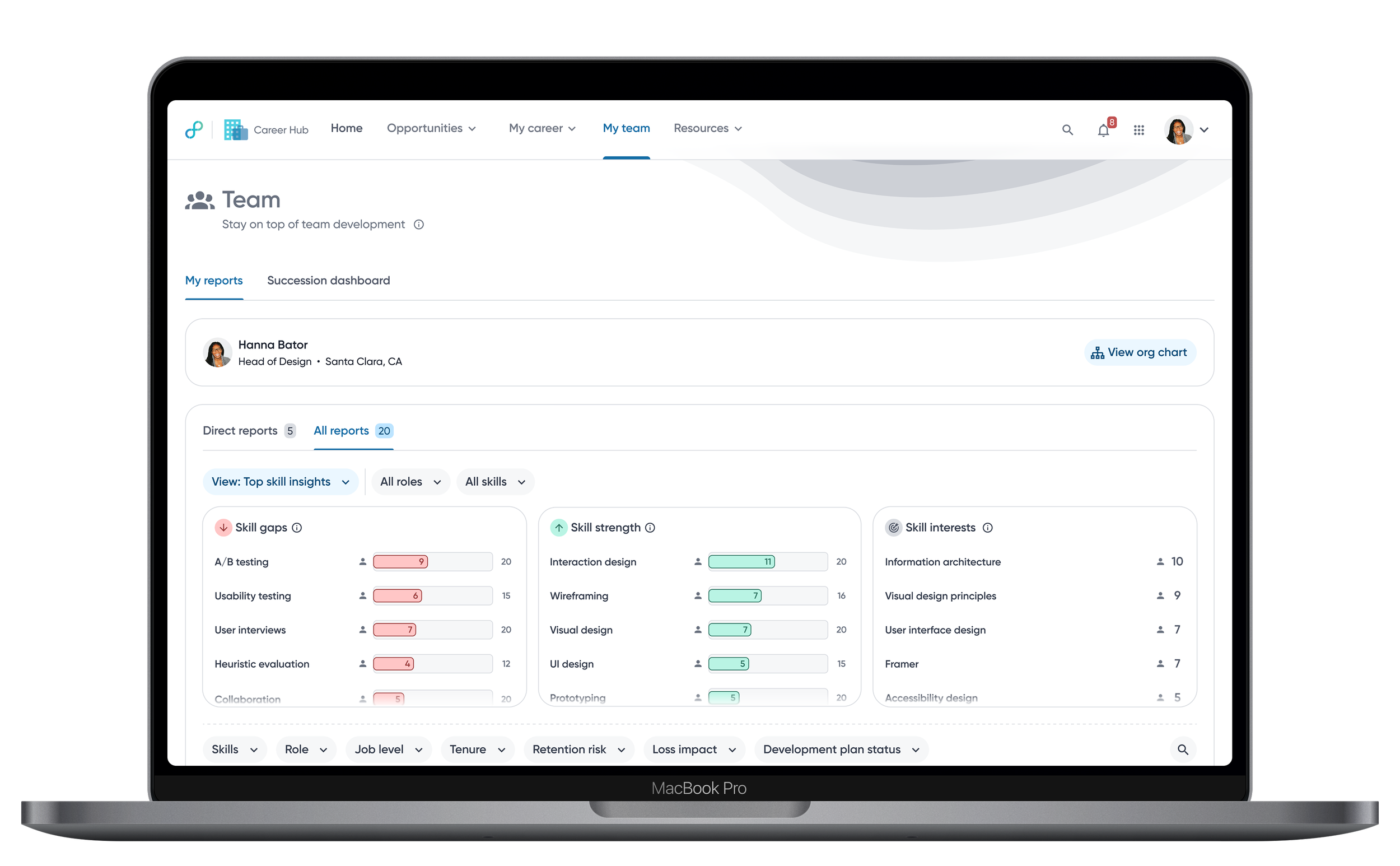
Skill insight modules are grouped by related signals to help managers move from understanding overall team health to exploring individual details.
Spot the biggest signals…
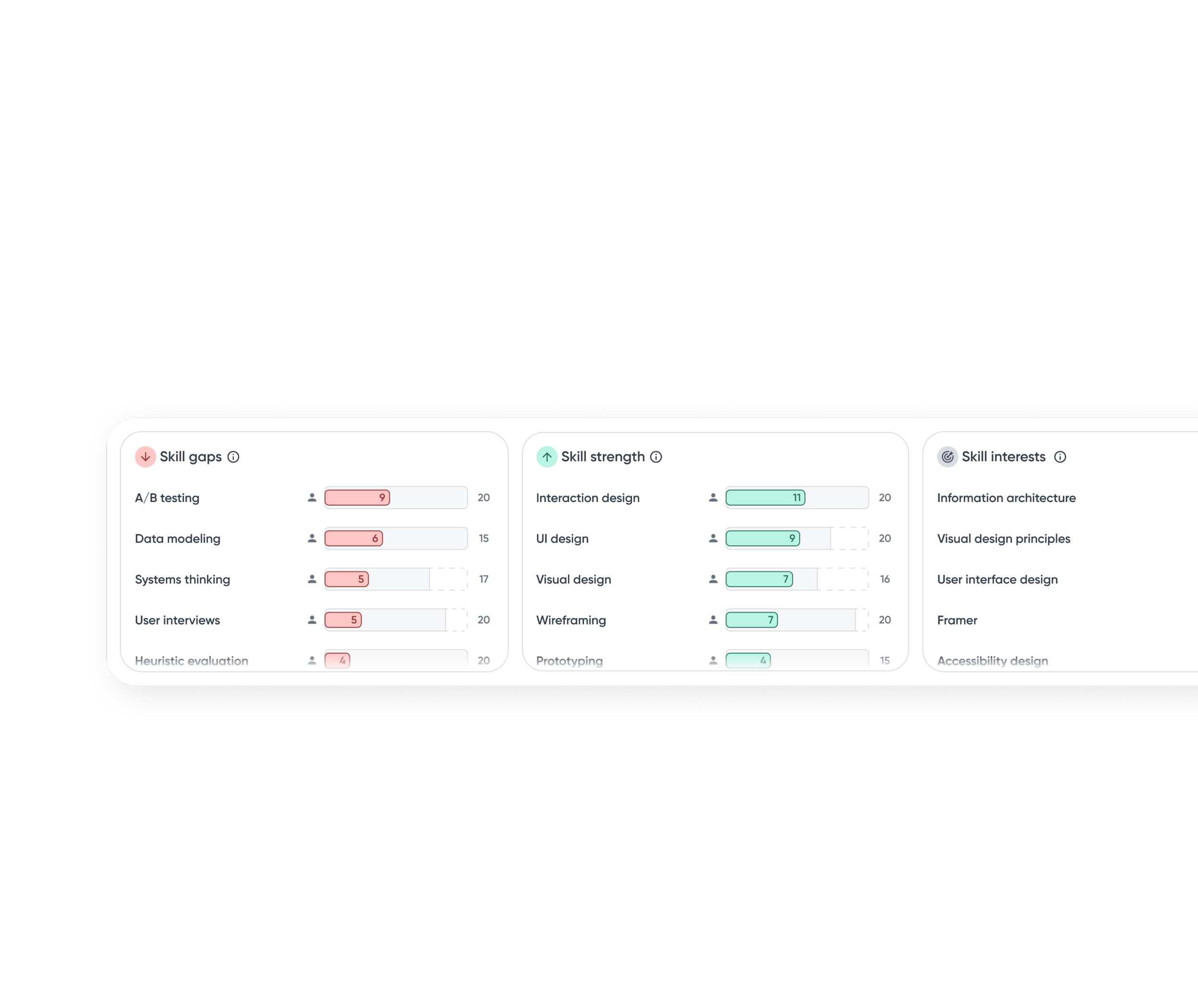
A snapshot of where gaps exist, where the team is strong, and where growth is headed.
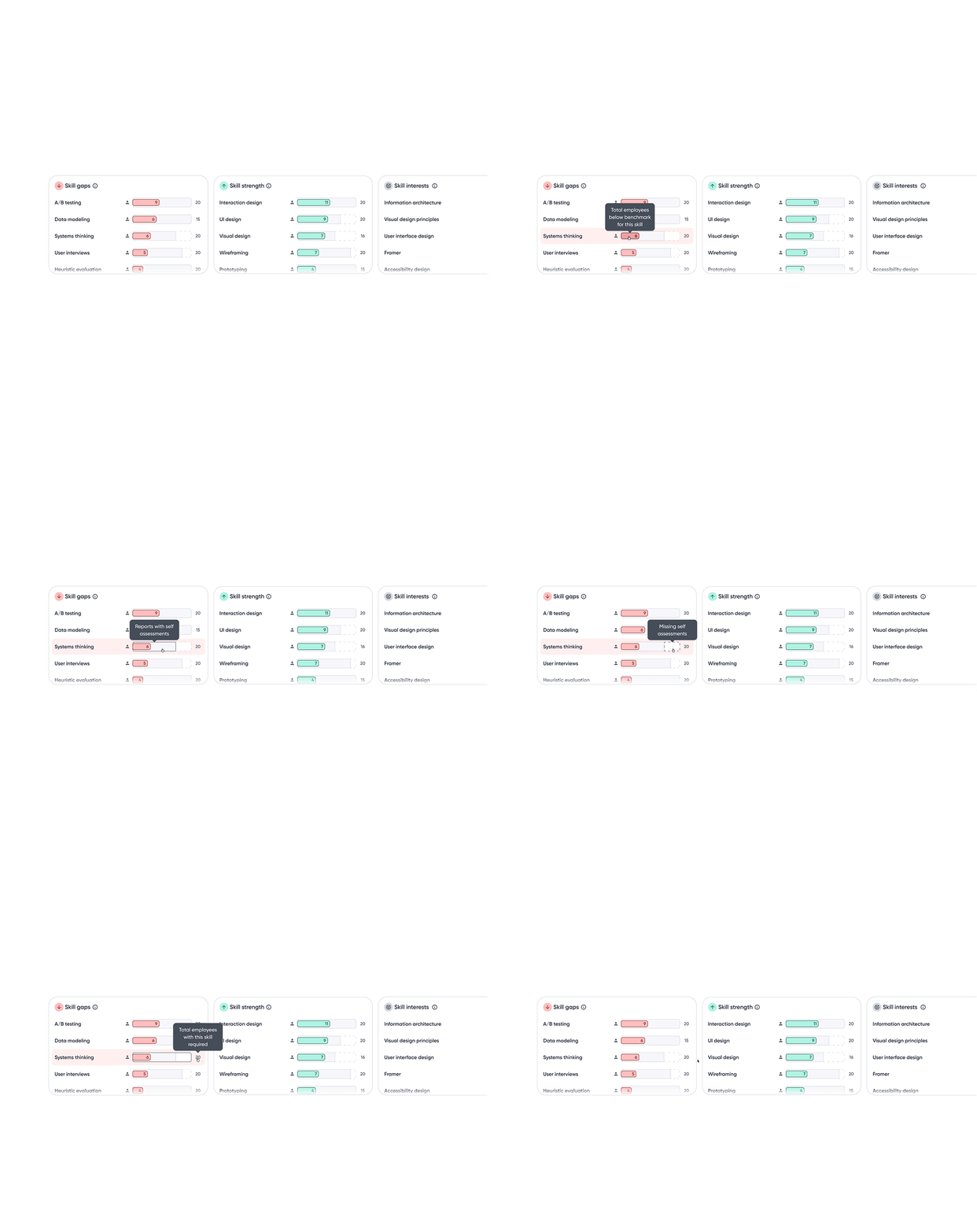
Bar chart visualizes how many employees fall above or below benchmarks relative to role expectations, making impact immediately visible.
A base track highlights employees without assessment data, indicating potential hidden gaps due to missing data.
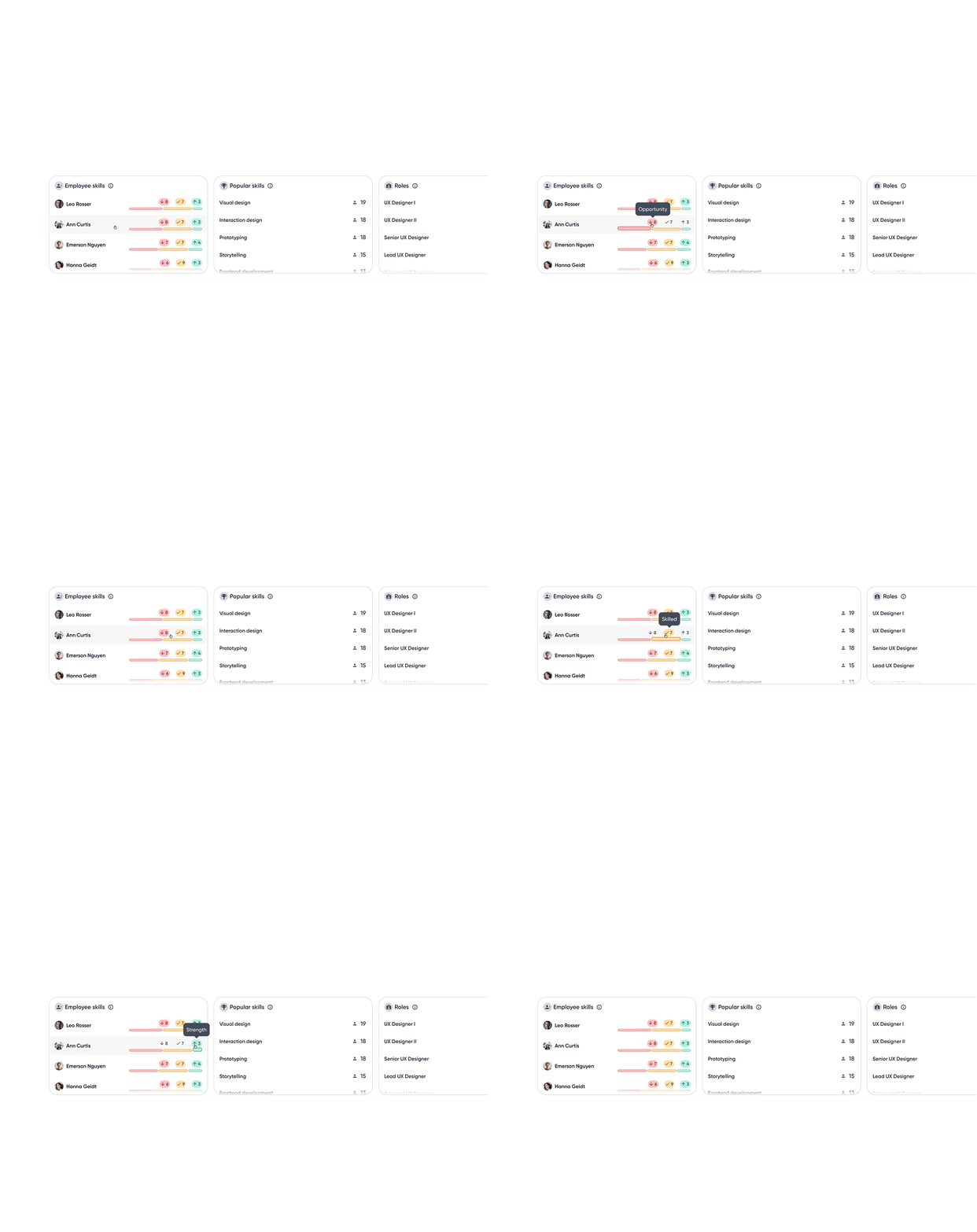
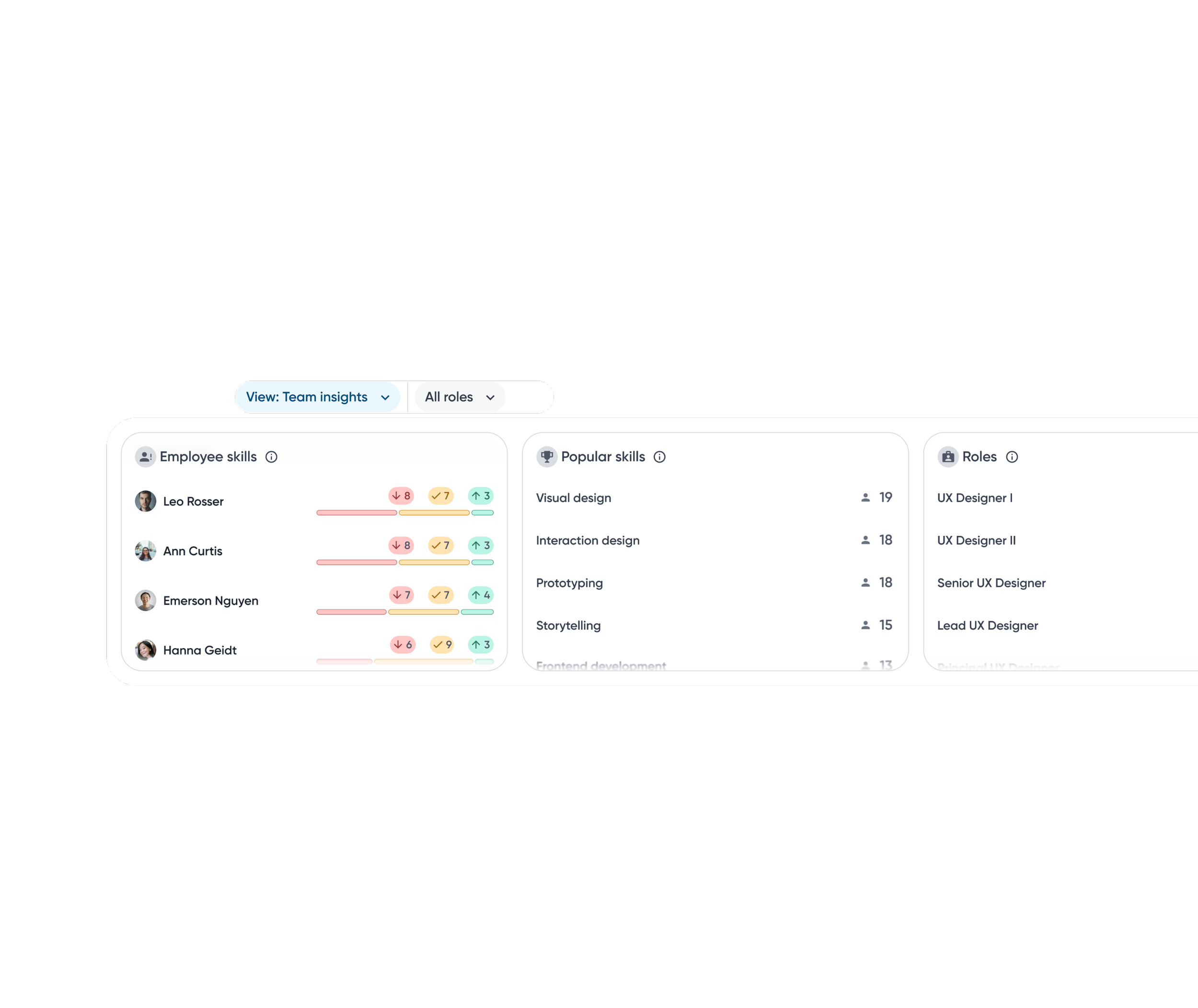
Employee skills module sorts employees with the most skill gaps, helping managers identify who needs attention most.
Insights are sorted by percentage to account for uneven skill coverage across roles, making gaps and strengths easier to compare.
Clicking an insight filters the employee list, enabling quick drill-down from team signals to individuals.
…then zoom in on the team.
A snapshot highlighting employees with the largest skill gaps along with skills most prevalent across the team.
Popular skills surface widely held skills, allowing managers to better plan staffing and allocate resources.